ONC Hydrophone Data
Download hydrophone audio and generate spectrograms locally, or retrieve spectrogram products generated by Ocean Networks Canada (ONC).
New to ONC hydrophones?
The three Start Here pages lead with the most common workflow: going from an ONC account to downloaded audio and a locally generated spectrogram. ONC-generated spectrogram products are introduced below and covered fully in their own guide.
Start with the common audio workflow
- Install and configure — install the package, save your ONC token safely, and choose a data directory.
- Find a hydrophone — identify a device code and a date range when that instrument was deployed and recording.
- Download audio and make a spectrogram — run one complete, copy-pasteable Python example and inspect the files it creates.
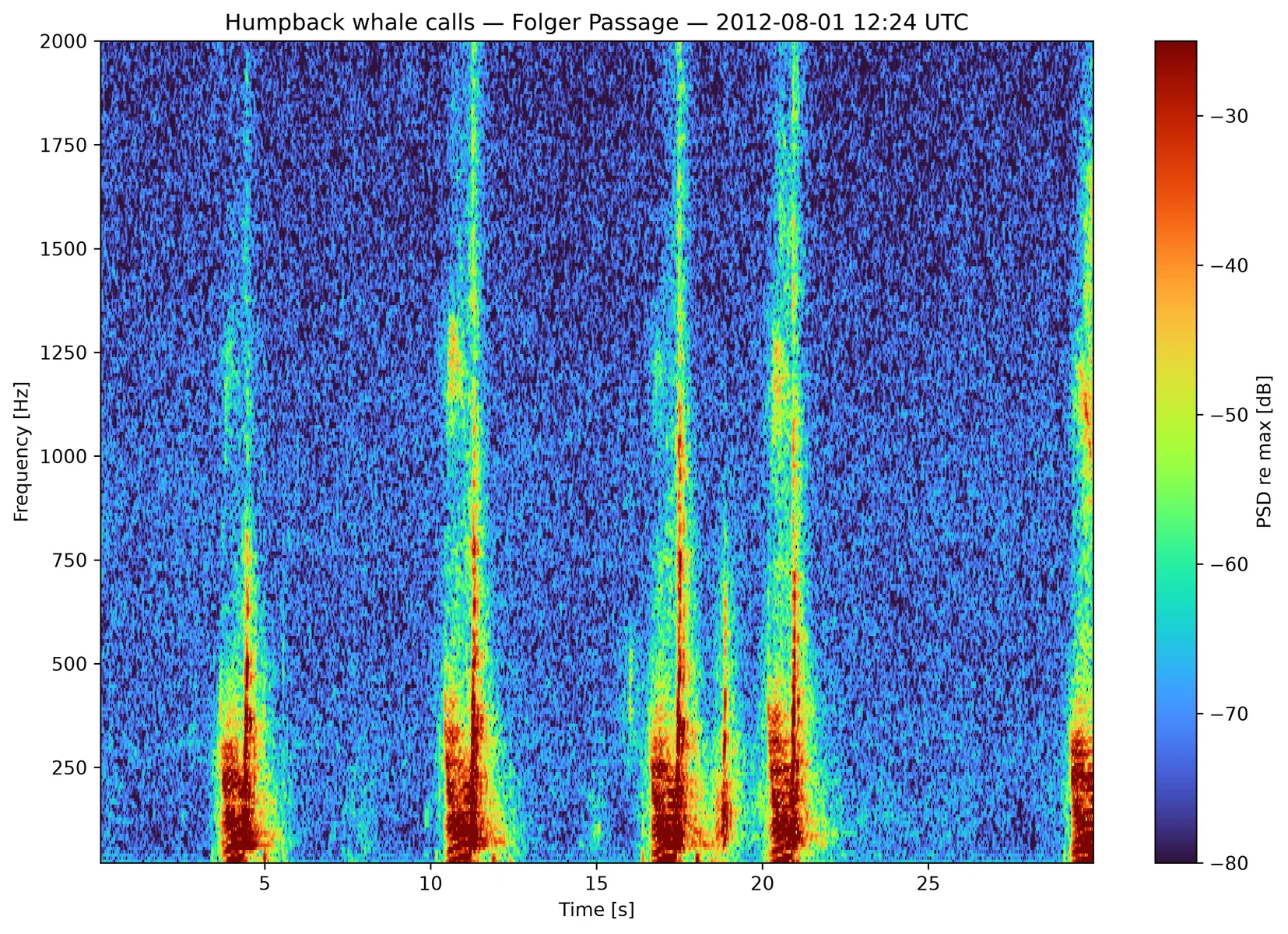
Generated locally by this package from a real ONC hydrophone recording: ICLISTENHF1205 at Folger Passage, 2012-08-01 12:24 UTC. Audio source and credit: Ocean Networks Canada Multimedia Manager.
Two ways to work with spectrograms
A common workflow is to download FLAC/WAV audio and create spectrograms locally. This preserves the source audio and lets you change window length, frequency range, overlap, colour limits, and output format without requesting the data again.
The other workflow is to download ONC-generated MAT, PNG, and PDF spectral products. These are useful when you need calibrated ONC products, compact long-term summaries, or a quick visual scan. See Choose ONC Server Spectrograms for that workflow.
Choose the guide for your task
| I want to… | Start with |
|---|---|
| Download a short audio range | Download Audio |
| Generate PNG/MAT spectrograms from audio | Generate Local Spectrograms |
| Generate an edge-safe spectrogram around a known signal time | Generate Local Spectrograms |
| Check whether a device has data for my dates | Find a Hydrophone |
| Sample many windows or download events from JSON/CSV | Advanced & Batch Downloads |
| Understand ONC's one-minute, plot, or full-resolution products | Choose ONC Server Spectrograms |
| Fix a token, date-range, output-path, or backend problem | Troubleshooting |
How ONC requests are handled
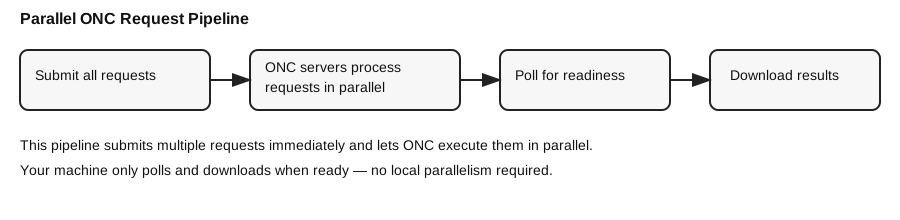
For workflows that request server-generated products, the package submits multiple jobs up front, then polls and downloads results as ONC finishes them.
If you prefer notebooks, the repository also includes
notebooks/ONC_Data_Download_Tutorial.ipynb.